Wednesday, October 6, 2021

Frank Hawk Devlog

So you may have noticed my lack of CUPdates recently relating to Compass Nays. That's because I took a sidetrack onto creating an endless runner game in Unity for my brother's birthday! Now that I can finally post about it, this will be a mini-blog post before the next CUPdate that showcases my process on this project.

Ever since December of last year, I've been teaching myself Unity for work. So I decided to finally create my own project outside of work in Unity for fun! This was a short project that I finished in under a month, so I didn't have a whole lot of time to dedicate to it.


This game is called Frank Hawk. It's an endless runner skateboarding game where you get to eat tacos.

Backstory

The idea behind this game came from an arc early in The Nays where they visit Frank Lady World, which is a World full of skate parks and skateboarders. And Frank Lady's specialty is making tacos.

The idea of this World was inspired by Tony Hawk's Pro Skater 3, since I used to play that game all the time as a kid (and that's why the music you'll hear are midi versions of the songs from that game). It started out with The Nays just creating characters and levels in the game and eventually turned into a full World where they would skateboard in real life and compete in competitions.

In this game, you play as Chozu, who's a huge fan of this World, as you race through levels created by friends, both current and old, and the ultimate goal is to collect the taco at the end of each level. Each level increases in difficulty and new obstacles show up along the way.

Development

I started out by brainstorming some ideas for a short game that would be fun to make in Unity. Since I've already made a platformer game in Unity before, I figured it wouldn't be too much different to make an endless runner.


Something that's core to my games is making sure there's character dialogue, so I explored the Unity Asset store to try and find a quick and easy dialogue editor, since I didn't want to dedicate a lot of time to building my own from scratch. That's when I found Runia Dev's Dialogue Editor, which worked perfectly for what I needed.


After that, I made the basic character movements and collisions for the hub scene in Frank Lady World where Chozu interacts with characters to enter the levels. Starting out, I was just using sprites I already had or quick sketches as placeholders for the characters.


Then I made the endless runner level. The hub world works like a platformer game where you're not endlessly running, so this was just a quick tweak to make Chozu move on his own. And the actual mechanics were actually a lot easier than I was expecting. I just needed to make a way to end the game and teleport back when you reach the end.


So I made a few scenes like the game over and title screens so that this could feel more like a full game.


Once I had the core mechanics down, I started to create the sprite art for it. Luckily I already had some quick sketches of these characters drawn for Compass Nays, so I just had to clean up those sprites and that meant I was completing the art for that project and this one at the same time!


Once I created the main sprites, I decided to add some various mechanics for each of the characters to move differently in their levels. That included Grenna spinning, Ralphie standing in the way and slowing you down, and Scott shooting projectiles downwards.


Then I started to design each of the stages to be different so they weren't all just clones, and were their own designs. It was really fun to make each of these be unique to the characters and how they acted at this time in the story.

After that, I did some tweaks to make the game more enjoyable and easier to play. So I updated the retry button on the Game Over screen to send the player back to the beginning of the current stage rather than the hub map, so they could retry. I noticed this was needed when the last level ended up being a lot harder than the previous ones, so I didn't want the player to be frustrated from having to redo the conversation before.

And finally, I was able to get to a few of my wishlist ideas! I started by updating the kill object block to be actual lava, since it was previously just a red box. And then I added collectible salsa containers to help lead the player throughout the levels. I also added UI on the screen to tell the player how many salsa bottles they've collected.

Final Thoughts

So overall this was a fun mini-project and I learned a lot more about Unity in the process! There were a few wishlist items I didn't get to like adding more story, custom text boxes, more customized backgrounds, and a few more polish things like animations, but considering I made this in less than a month without a whole lot of prior Unity experience, I'd say I'm fairly happy with how it turned out!


This was also a fun break from the RPG Maker project I've been working on this year, and it felt good to finish a project (since that project is still years away from being close to finished). So this made me think about how I might want to take some breaks from my main project to still have that accomplishment of finishing things, to keep me motivated along the way. Obviously, the Global Game Jam is a huge boost for that, but also it helps to have other smaller projects throughout the year so I don't experience burnout.

Friday, October 1, 2021

CUPdate 10 & 11: Mission Menu and Character Sprites

So I ended up skipping making a blog post for the last CUPdate, so this is counting as 10 and 11. I've been taking a break from working on this game for the past month or so, so still not a whole lot to show, but I've got a few updates.

I started out by working on the Mission menu. You can access the Missions screen from the main menu, and I used events to create a menu screen to store all of the quests. You can view different lists of active, complete, or failed lists of missions, and the information about the mission will appear on the right side of the screen. Because all of the mission data is stored in arrays, the order that the missions appear is based on when you accept them in the story, starting with the oldest missions at the top. I learned a lot while doing this and used a lot of arrays, and even some loops. Definitely one of the more coding-intensive eventing that I've done!

Then I made some colored/more finished sprites for some characters from the Prologue. I'm aiming to slightly clean up the rough sprites I made without a ton of extra work to save on time and keep the life in them. Here's Firebreath, Larry, and Capillstation.


Then I made some more sprites, focusing more on creating poses that fit with the characters' personalities. My goal is going to be to turn these into idle animations at the very least, since I know full walk/turnaround animations would take a lot more time. This is Haru, Izumi, Rocko, Celia, Jaboo, Shaw, and JrTr.


And then a few more sprites! These are the orphans: Pigger, Chila, and Frank.


Side Track: Posting Games

And then I strayed off the path of working on Compass Nays a bit as I mentioned above. I've been slowly uploading all of my previous Global Game Jam projects to various websites to get my games out there so more people can play them. They're all playable on itch.io, but we weren't getting any feedback on there and not many people were finding the games. So I made a Game Jolt account a few months ago and have been uploading a game a week on there, and have been getting some people to play my games. I've also been uploading web versions of the games that can be played in the browser, so people that don't want to dedicate time to downloading my games can quickly preview them in their browser. For example, try the Play link for I Wanna Go Home here!

In addition to that, I decided to revamp some of the itch.io pages to include links to play it online or point out the download link. These are through header images, since I think those really help. I'm starting to think that I should spend some more time really fleshing out these pages to look more attractive with imagery and potentially gifs, but that's a project for the future potentially. I also added favicons and further customized some of the backend information on these pages. Check out the Complex.net page here for an example!

I've also been uploading games on RPGMaker.net, and I received my first game review on SOS.WAV! They gave a lot of valuable feedback that I look forward to applying to future games and gave it a 3.5, which is fair for how short it was and all things considered. I've been receiving ~700 page views and 3-5 downloads per game, which is a really high volume in comparison to what I'm used to, so I'm really happy with this site.

Then I decided to search for other popular sites for uploading games. I found out that some people were saying Newgrounds actually has pretty good traffic for games, which makes sense since they only host browser games. I was a bit hesitant to dig up my Newgrounds account because I had some really bad experiences with the site 10 years ago, because the community was really toxic. Back then, I was posting my first Flash animations and early digital art, so I was getting a lot of negative attention to the point where I almost quit art entirely. But I've removed all of that content or unpublished it so that it's all in the past now, and I'm thinking maybe my games will attract less negativity, but I'm not holding my breath. So far I haven't received any feedback, but I did upload SOS.WAV on there.

So while a lot of this isn't directly related to Compass Nays, it is preparing me for whenever I finish the game in many years from now, so that I'll have a better idea which platforms work best, how to apply feedback from previous games, and just practicing uploading to game pages and customizing those in general. So it's all good practice and I'm having fun doing it! I'm planning to have more updates next time though!

Friday, August 20, 2021

CUPdate 9: Logo, Characters, and Enemy Paths

So this time around, I don't have a ton to show, but I did do some important things that will help me in the long run, so overall good progress.


With big news to start off, I finally have a title for my game! After hours of brainstorming, I finally came up with Compass Nays as the title. And from there, I made the logo to go along with it.


And to get here, I did a bunch of concepts. I started with a font called A Aha Wow, and my drawing of The Gek for the O, then I sketched my own version to make the letters look waxier. Then I just started to apply a bunch of effects in Photoshop until I got to the final version!


Since I finally have a title, I made all of the social media pages that I'll need. I don't plan to start posting on those until I have final art to show, but I wanted to at least get those set up so I don't have to worry about them down the line when I'll need them. So I made the Website, Tumblr, Twitter, and Instagram.


In addition to social media pages, I also made accounts on Game Jolt and RPGMaker.net so I can start to share my progress there. I'm slowly uploading older projects first before I start sharing this game's progress there, but I wanted to be involved in more game dev platforms so I can share my progress with more people!


Then I made an asset list for all of the characters and backgrounds I know I'll need for the entire game, so I can start working on art for some of the later parts when I feel like doing art more than the game design parts. So once I did that, I sketched some characters I forgot about in The Gek Eventure.


Though nothing visually changed, I did improve the mechanics of enemies chasing the player with a VisuStella movement plugin instead of using a bunch of manual events that required parallel events. This way, the performance will be much improved, and there's no longer lag on maps with a lot of enemies! It may not look like a huge update, but a lot of work went into this! Now enemies are alerted when the player enters their range, then they chase the player, and stop when the player exits that range.


So overall, not a lot of updates this time around, and I'll be pretty busy with life things in the weeks to come, so I'm not expecting a huge post next time around either. But I'll try to get what I can do!

Friday, August 6, 2021

CUPdate 8: Backgrounds, Script Progress, Character Sketches, Random Battles, and Menu Prototyping

I ended up doing a lot of smaller tasks for this CUPdate, but made a lot of progress overall!

I started off this CUPdate by working more on backgrounds! For the interiors, I've decided to draw all of the rooms on the same map. This means that characters need to be able to walk under the walls for the doorways. To do this efficiently, I needed to figure out a way to create events that characters can walk under, while still lining up correctly with the parallax background. Eventually, I decided to recreate the RPG Maker grid in Photoshop, so I can see how events line up on the grid, and where to place them. This allows me to have very precise placements. It also means that each background needs to be divisible by 48 so that they fit perfectly on the grid. With those calculations down, my doorways are a lot more believable!

From there, I drew more backgrounds. I decided to block out a lot of the areas that you can't explore to save on time of drawing locked rooms that don't have to do with the story progression, for the time being. So I finally drew the second floor of the Ragger/Braves house.

I imported the beginning of my script into Ink, and then into my game, to test out importing Ink dialogue with in-game events, and it worked out really well! Here's the first clip (obviously still with placeholder faces and not final art):

Then I went through and added expressions and split up the scenes for everything that I've written from the prologue so far. This was a good way to proofread what I had written as well, and update a few lines as well.


I decided to plan ahead and start drawing character sketches of the next Eventure. I got a little carried away and drew more characters than I thought I was going to include in the game, so we'll see how many of these end up in the actual game, but I do like the idea of having a bunch of background characters, even if they don't end up doing a lot.

And then I designed the monsters that The Nays run into during the prologue in Mayon Woods. I'm aiming for two that are native to the Mayon Woods and two that come from other Worlds. After asking around, I made some decisions based on the most popular voted ones. 1 and 6 will be native to Mayon Woods, and then 7, 8, and 13 are going to be the other World ones (potentially one outside of the cave and the other two inside of the cave):


Then I worked in the game some more. I added a picture file for the name of the map that displays when you're on the map. 


After that, I worked on the Mayon Woods map a bit more. It's still a rough layout, but I made some collisions and filled in the map with trees so you can walk around it more. And I set up regions for where the different types of monsters show up.


Using some plugins and events, I set up enemies to spawn in specific regions, then once they're within a certain distance, they chase after the player. I'm still working on if there's a way to make them stop chasing once you've outrun them, but for now, that'll do. Also the whole chase event does end up making the game lag a bit, so I might need to find ways to optimize that better, since right now a lot of parallel process events are running at once to accomplish this.


Then I spent some time prototyping the menu screens to get the general progression for how I want the menus to work. Some are still super rough sketches, while others are using VisuStella MZ plugins. But I put the rough prototype together to help with planning in Adobe XD. I still need to update the Links and Party screens to have back buttons in the top-right instead of the top-left, and then I need to plan out what I want the Journal to look like.


My biggest accomplishments for the VisuStella MZ plugins were customizing the location and Eventure on the Save screen (as well as adding the BG image) and creating a custom variable on the Options screen that changes the Input Button types (also one for the Difficulty of the game). I also worked on the main menu screen a bit to try and match this prototype more closely, but it still needs some work.


And lastly, I tried really hard to think of a name for this game, but nothing is popping out to me just yet... so I might need to brainstorm a bit more. I might end up just going with a slight variation of my WIP title, which is now "Nay Recruits", since the rest don't sound right. But I'm not sure yet. I'll have to think about it some more.


So overall, a lot of progress this time, and I'm slowly picking away at different areas. Thanks for reading!

Friday, July 23, 2021

CUPdate 7: In-Depth Story Outline, Game Progression, & Backgrounds

So I don't have a lot to show this time, but that's because I've been working a ton on the story and overall game progression ideas!

I read through/at least skimmed and wrote notes about, the first 100ish Eventures that I've written for The Nays (which, for the whole story at least, comes out to over 1 million words in total—it was at around 1,094,365 words in February of this year). 

So I basically read everything and really in-depth figured out what I wanted to keep and what I could cut or mark as optional. When I wrote my first story outline for this game, it was based on memory and trying to simplify and cut as much as possible. As I progress through development, I am starting to feel like I wanna bring back as many of my favorite moments as I can, so I'm trying to figure out ways to stay true to the original story with it still being a reasonable length that I can finish in my lifetime. There was a lot of rearranging that happened, and it was pretty challenging to figure out how to simplify, but I spent the majority of my time creating this document that lays out main story points after reading them, and how to make those work in a game format (and apply to this whole new game outline!).


And after all of that, I made a very difficult decision to cut most of what I worked on for this week and stick closer to the structure of my original plan. It's hard because I want to keep so many of those moments, but I decided that in order to make this shorter, I have to keep those cuts. I did bring back a few of my favorite scenes because I think they would fit really well with things, but overall, I did make the ultimate decision to cut a lot of this work so that I can keep the original story separate from this game. It'll still be there and if I ever finish writing it, it'll be a story with story beat drawings, or maybe even a comic, who knows! But what I do know is that it's a different project than this game. So in the end, I did end up making some changes to some of the structure, like moving Mr Dude World to later in the story and to be more of its own arc, because that's when most of the time travel stuff starts to happen.

And earlier on, I started to plan out the overall game progression and what the game loop would be. So in a very general sense, it will likely be that there's an introduction to the location, then the player has the option to go on missions, play games/do activities, or social hangout events with the characters. From there, I started to boil it down to what game mechanics will be needed. And I started to break down which tutorials I'll need to create so the player can understand how to play through each of these. I started to split them up by Eventure so the player won't be bombarded with tutorials at any given time, since I know that's something that usually overwhelms me in games.


Then once I had a more solid order, I started to plan out all of the missions. I'm sure there will be more that are less involved and not really as story-related, but these are all of the optional and required ones that I thought up so far.


And along the lines of making more Notion pages, I made one for the "Nays Hangouts", which are basically the social events that happen. I tried to set aside one per Nay per Eventure, some are combined, and then some I know I'll come up with later on. Generally, I'm planning for these to either be flashbacks to flesh out their pasts, or little social events that happen between characters in the present day. These were just ones I knew I wanted to show and had ideas about right now. I still need to go back and read some Eventures that I've already written and add those flashbacks and story moments in too. And I'm sure I'll come up with a lot of them, especially for the main characters, as time progresses.


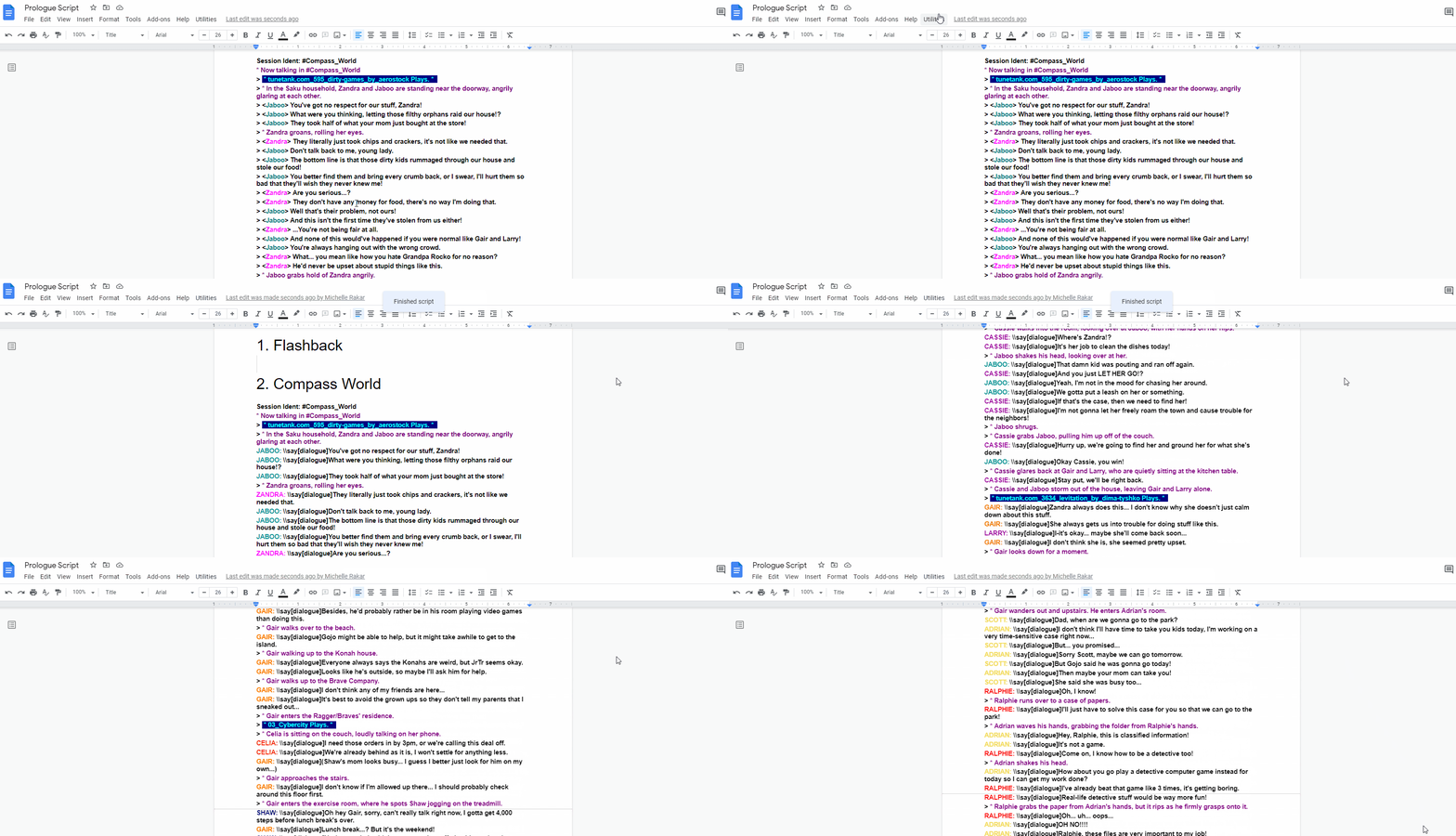
Another thing on the writing side is that I ended up spending some time learning Google Scripts for Google Docs. So now my conversion from mIRC logs to Google Docs to Ink scripts to RPG Maker MZ message boxes can go much more quickly! Still working on some of the details to make it work even easier, but it's in a good spot for now.

But other than writing, I did do a little bit of drawing and game design, but not a lot. I started this CUPdate off by continuing to draw the interior maps and place them in the game, so I could start to populate this World. The only one I did for this CUPdate was the Braves/Ragger house, which was quite a challenge since it's a big place. Luckily I had references that I made in The Sims to make this go a bit more smoothly.


I made some small updates to my dialogue test, including a new text box (to make the lines cleaner) and text color for when characters are thinking. I also added a custom placeholder animation for the continue button to replace the default arrow at the bottom of the box. And some small updates like the top of the name box shape and resizing character faces for this test. Overall small tweaks, but I think they'll help enhance the look!


I also tested out a few different thought bubble styles initially, based on feedback from last time. I sneaked in some feedback early on from my friends and we all decided that the D one below looks best, and it turns out that's one of the easier ones to implement, so I went with that style.


So again, not a lot to show, but I am making major progress on my story, and it's starting to feel much more involved, which is a plus! I'm planning to figure all of that out to really help me figure out more game mechanics and ways to turn my story into a game, so stay tuned for more visual progress next time!

Friday, July 9, 2021

CUPdates 6: Dialogue, Battle System, and Background Locations

Wow, these weeks really flew right by! I realize that one extra week to CUPdate really makes a difference, since this time I don't have quite as much to show. But that's due to a lot of it being writing and programming.

So first, I spent an entire Sunday morning/afternoon writing a huge portion of my prologue in the form of an Eventure! I skipped ahead to the Compass World parts because I had more ideas on how I wanted to write that, so I wrote that in its entirety and converted it to a Google Doc, from the original .log file that mIRC creates. So far that translates to 17 pages in Google Docs, which is a pretty decent amount. Based on how some other Eventures translate over, they're usually around 30-40 pages at least, so considering this is only about half or less, it seems that each "chapter" or "eventure" of the game will be roughly the same, if I base that assumption off of the prologue so far.


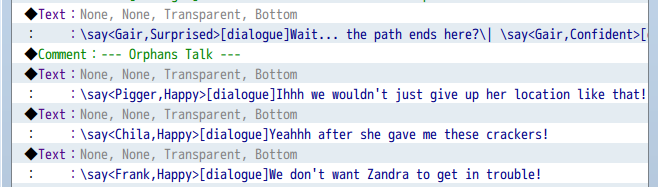
I ended up spending a lot of time trying to optimize my code so I didn't need to use so many event commands for a single line of dialogue, because I realized this could end up looking pretty messy down the line when I start to import dialogue into RPG Maker. So I cleaned it up a bit by making my own text codes in the VisuStellaMZ Message Core plugin, and Eliaquim made a plugin for me to help manage this even more! It's finally getting to a reasonable length, though I'm still working to make it compatible with the Ink Integration plugin that theartofme created.

From here, I was able to start experimenting with how I want to import text into RPG Maker. I'm planning to use the Ink Integration plugin, because it'll go a lot faster to just convert the Eventure formatting into Ink formatting, rather than copying each line into individual message boxes. I remember that was always my least favorite part of turning stories into games, was that long process. So I'm aiming to cut down on dreading the dialogue porting into the game itself. I had a few bumps along the way, but I did get this dialogue system pretty solidified! So first I did a test where some of the transitions were still missing:

Oh and as you may have noticed from the video above, I exported all of my existing character sketches out as charsets so that I can put those placeholders into the game as actual events, instead of just being on the background layer. I found this program that made exporting these quick tests a lot quicker for when I only have one direction sketched out.


Luckily there were some updates to the Ink plugin that now allow me to optimize my code even more! Everything can be imported straight from Ink into RPG Maker, and character variables and expressions are all set up in Ink.

After that, I decided to play around with some dialogue effects, so I can play little animations over the text to further spice up the dialogue a bit more! I added a sighing effect around 25 seconds into this video:

And then I made a lot more progress on my battle system! I re-ordered the sprites to be diagonal and added a new UI to fit with this style, just like I had initially sketched out. Also, thanks to Eliaquim's help, I was able to get variable bars fully working through event code, and picture files that dynamically change based on a variable. From there, I made some of my code more efficient so it's easier to edit it all at once, like the move routes that are controlled by variables and common events.


Then I finally decided to work on some art for the past few days. I started by making some layout sketches for The Link Between Worlds, based on the maps that my brother made for our GGJ project back in 2019. I loved how those looked, and wanted to carry over that design here a bit as well!


Then I started to lay out the maps I made for the interiors. I made the Saku house and Ragger/Braves house in The Sims a while back, so I started with the Saku house! Having The Sims reference for the floor plan was super useful and I actually kind of ended up enjoying drawing a background in the end, which is super rare! I usually struggle and don't enjoy backgrounds, so I'm glad I'm starting to figure them out with references. I imported the background into RPG Maker and recorded Gair exploring it.


I also already made The Gek's World entirely in RPG Maker MV back in 2018. Back when I made The Gek's World map, I made each area be its own map, but I'm planning to create one massive map to explore for each floor in this version instead. So I started by taking the floor plan I had, and reconstructing each map into where it would roughly be, so I can further figure out how I want this to look. Next time, I'm planning to actually draw this all out and further reconstruct it, so it'll be ready for the next part of the game.


I realized while I was writing the prologue that there were a few characters I forgot to draw in my initial character line-up, so I doodled a few more of them.


And lastly, as a bit of a sidetrack, I uploaded all of my previous progress videos to YouTube so that I didn't have to rely on various social media embeds anymore. You can view that playlist here! And I'll be uploading there going forward.