Last weekend was another year doing the Global Game Jam! This was my 9th year and we got super ambitious with this one. We got a game up and running on the page by Sunday, but I did admittedly spend a couple of days after just fixing bugs and polishing up because I really liked our project and wanted it to be the best it could be! So I'm going to go through what our process was and how it was made.
💾 Download and play the game here:
Monday - Wednesday: Concepts & Project Setup
The theme (Make Me Laugh) was announced on Saturday before the GGJ so that gave us more time to think on it. We honestly had this game idea a bit earlier and it's something we've been wanting to make, so we just had to make some tweaks to fit it into the theme! At first we weren't sure about the theme, but we quickly started coming up with ways to incorporate it into our idea and it started to be a lot of fun and pretty fitting.
At work I've been learning a bit more about GitHub, so I started by making a GitHub repository for our project. We never shared an RPG Maker project over GitHub before, so this was going to be a learning experience for us, but I thought it'd be easier than Google Drive, since that's just how we transferred our projects in the past.
Then we started brainstorming in documents and sending inspirations to each other over Discord text chat in our GGJ channel. Some ideas were ones I thought up before bed or in the shower, but we both started building off of each other's ideas as they came to us.
After we exchanged ideas over text chat for a bit, I got really inspired to start sketching some ideas! So I got my sketchbook out after dinner on Tuesday and decided to sketch out some of the ideas we had for some of the UI, menus, and scenes in general. I really liked the idea of this being a TV show and focused on the overall performance, because I thought that'd add more of a whimsical touch and keep it more lighthearted.

Then I set up the RPG Maker project, mostly just adding plugins that we might want to use. I started to look through potential plugins and make sure the most updated versions were in the project folder. I also have been wanting to get back to making a custom title screen for our games, which we haven't done since we upgraded to MZ. I never knew of any good MZ plugins for custom title screens, but I discovered that Moghunter actually updated the title plugin from MV for MZ, so I went ahead and imported that in. I put some placeholder old art I had done and some extremely quick assets just to get something in there to make sure it was all working properly with MZ.
Thursday: Brainstorming Session
Thursday night we got on a call and talked through some of our ideas and tried to figure things out. We were still having a hard time figuring out what we wanted the battle system to be, but were starting to understand what we wanted for the recruiting system. We wanted it to be different from a class turn-based RPG, but still have support abilities. We didn't end up talking quite as long as usual, but we got some basic ideas brainstormed.
We knew our main character was going to be Lupita, so I was trying out a bunch of different styles with pixel art, but nothing was quite turning out how I wanted. I tried a few different styles, views, colors, etc. but nothing was really turning out how I wanted.
We decided that maybe pixel art won't be the way to go since it was taking me longer to figure out what style to go with, so we might just go with a more simplified drawn style because we have a lot of characters to make.
Then I started on making a spreadsheet for the audience members that you can collect. I was mostly just coming up with attack names and who we wanted. I put 18, which we won't have time to make all of them.
Friday: Art Assets & Battle System Coding
Friday was the first full day of development! I took the day off of work so I could get a head start on some of the asset creation, since that usually takes awhile. To start, I mocked up what the battle screen could look like digitally so I could figure out how big each character should be on the screen. I used an old drawing I made for last year's GGJ just to figure out placements.
Then I worked on a style/look test. One idea we came up with is to use pre-rendered 3D backgrounds, so I tested drawing Lupita overtop an existing 3D background my brother made previously. I also added a few Photoshop effects to make it look more "drawn" to fit in with the style. And I added a stroke around the character to make it stand out a bit more too.
Then I drew Lupita in all 4 directions with some movement animation. I wanted to keep it fairly simple. I then wondered if there was a way to make spritesheets more quickly than I usually do, so I found
this video which directed me to
this Photoshop script. It worked pretty well but now 100% how I needed the spritesheet to be for RPG Maker, so I did a little manual work, but it was still a lot quicker than the usual method!
I imported that spritesheet into RPG Maker and got him walking around the test scene!
Then I drew a few more characters. I finished the sprites for Chiz and then finished the linework for Josinda's as well.
Next, I decided to dive into the actual programming and game parts. I started with the main part of the game: The Battle Show. I created the basic loop for the battle that initializes the variables and then goes through each character. At the beginning, it takes information from the Actor Database and puts that into variables so it can be replaced with the specific characters that are on your team.
I put some basic scripts together to show specific sprites based on those variables, then play a specific sound clip for the character when they attack. All that's really left is to add Ben's commentary and then to make the attacks actually do something in battle. I have the basics of a health bar set up from one of my other games that I can mostly reuse the same ideas for though.
Then I imported my brother's 3D model background into the game and imported a few of the super rough border templates in just to get the layout. I also got all of the buttons clickable with a plugin so saving and viewing the options is done with some of the defaults, and then the others pull up a common event for the time being.
Saturday/Sunday: Character Sprites & Game Dev
As usual, Saturday and Sunday always blend together a bit because we stayed up all night into Sunday and didn't go to bed until about 6pm.
So I spent all day Saturday (until 4am) drawing all of the characters and animations for our game. We planned a lot of characters and at the time thought they'd be extra and not implemented... but we actually did it surprisingly.
So after a lot of drawing, I came back to the RPG Maker project and worked on the Battle Show portion. It was Sunday morning and we honestly still didn't know what the mechanics of this part were. I was getting kind of nervous and just started filling in random attack names and descriptions in the Database so that Ben could commentate it at least.
So then we both paused what we were doing and got into Google Sheets and just started to hash out the mechanics. We decided it would be a point system that we could balance. So basically the characters that are harder to recruit would be higher ranked and stronger in battle. So we started with a ranking of A, B, and C to figure out what they would all be.
From there, I actually implemented this battle system into RPG Maker and made use of the "MP Cost" to be their attack power from the skills, since it was an easy to edit and read number. It wasn't that difficult to implement and I just was focusing on getting something playable.
So we ended up really working up until the deadline on this one and it was all hands on deck at the end. My brother was hashing out 3D backgrounds, fixing the story, and just really doing whatever we had time to do while I tried to finish up this battle system. We didn't even test the game before uploading it. Sure we had tested parts, but we had no idea if it was beatable (or even playable) or fun. So this was a weird game jam.
The group we were part of (COGG/CCAD) had a live stream at the end of the event, and they were nice enough to play through our game on the stream and they were having a lot of fun with it and I think they all enjoyed it. So it was really fun seeing them enjoy it, and I'm really glad it was playable enough for them to play part of the game at least (until they couldn't beat the first battle). So that was a really good end to the night.

Monday: Polish & Bug Fixes
So the next day, I woke up around midnight and couldn't sleep so I decided to keep working on our game to fix the bugs and things we wanted to fix. I started out by making a title screen for our game. I really wanted to work on a custom title screen for this one so I spent some time using mostly assets we already had, but really making it look a lot different. I like how it came out (and it's better when it's animated!).
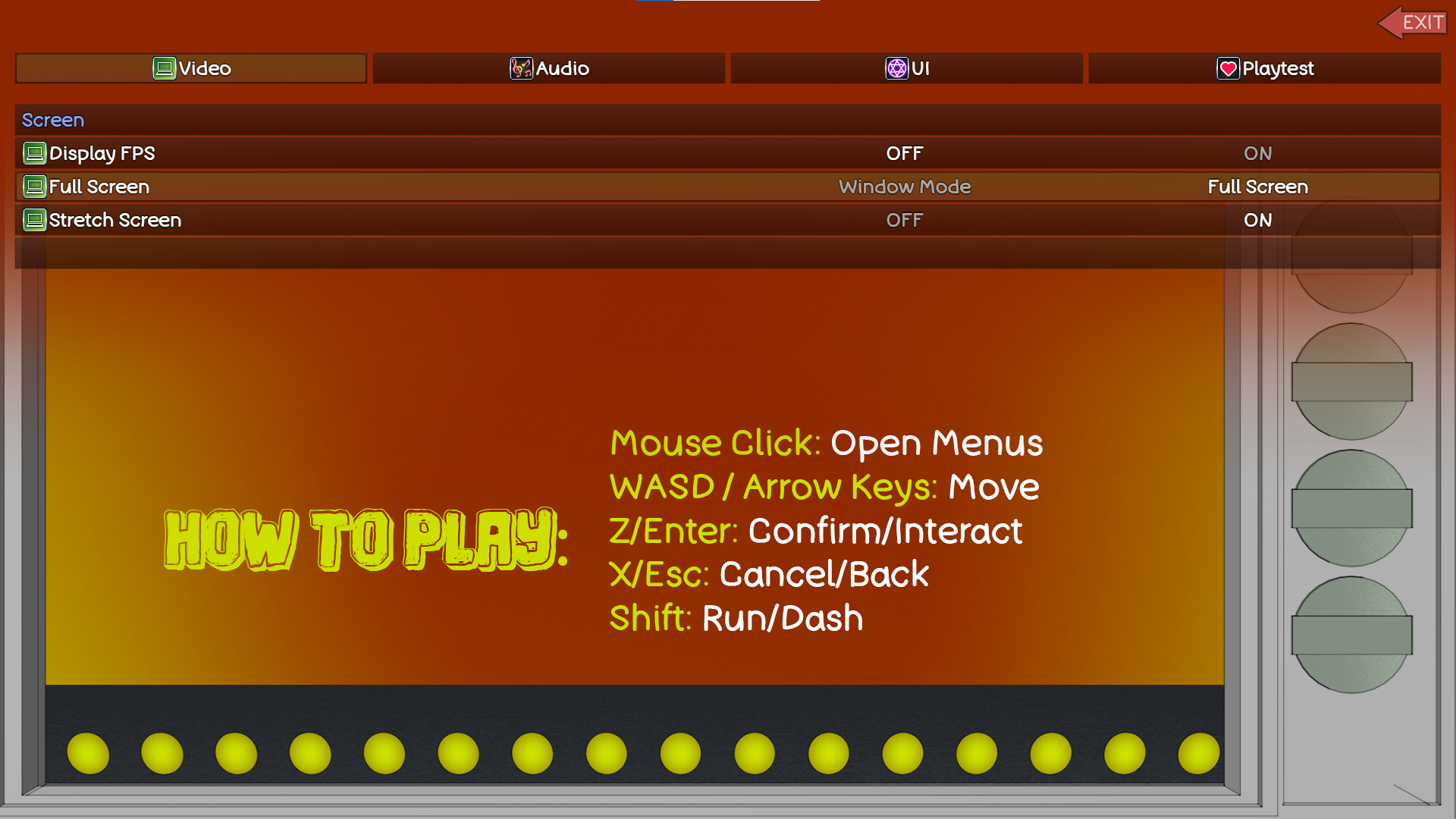
With that, I also added a new options screen to have keyboard controls in there, since I noticed the person playing our game didn't know which buttons to press. I always forget this when making an RPG Maker game, but I need to get better about implementing those.
And I also customized the save screen a bit more. I noticed during the playthrough that he thought the game didn't save because it was an empty image when it saved. So I have it populate with a general background image now, and it shows your current team. I made facesets for all of them to show that in there now.
Then I added more tutorial content to teach the players how to play the game. This included more about the audience and actions. I noticed our playtester didn't try to recruit anyone, and it's no wonder, because we didn't previously mention anything about it! So I added more to our intro and a new path if you lose the first battle, to tell you even more.
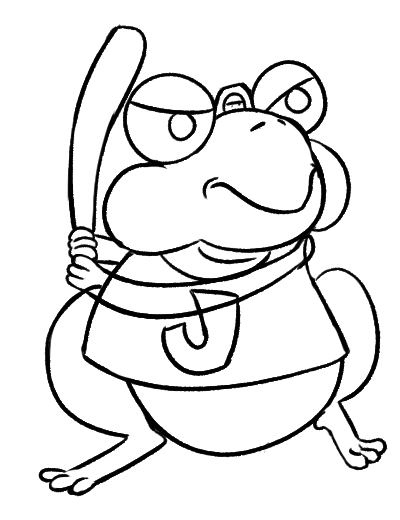
I then took a break from game dev to draw all of Pobuck's ugly drawings. They're meant to be ugly and abstract, so I was able to get through all of them fairly easily. I scribbled those down and imported them into the game so there's now a purpose to actually talk to Pobuck. Though we don't currently have ways to get money or tickets (other than the default that it gives you), so they're all free.
We also had a lot of issues with interacting with characters because the sprites are a lot bigger than the 48x48 tiles, so I made Region IDs for all of the characters and set those up on all of the maps.
Additionally, there were a couple of characters that just weren't achievable (Lev and Question), so I made some new pathways to add them to your team. I also did some small fixes like fixing text boxes and word wrapping. I also updated our map image to fit into the UI better. And I added shadows for the characters who are in each area to help more.
After that, I started to balance and actually plan out the Battle Show better. I randomized their teams and who was in which slots previously, but I spent time working in a spreadsheet to better plan and scale the difficulty. I even changed the point system around and added new D and S* ranks to further balance all of it. I had a lot of fun doing this!
I finally started playtesting, and ran into a lot of things to fix. I made a huge document (about 27 pages) with various things to fix and update as I was playing. Some of these included things like changing when the text boxes are up so it didn't flash between every line of dialogue and then some overlapping text and things too.
I also added a new tutorial to the Pobuck part to better explain what that's all about as well. I fixed that map so you can't accidentally click off into another map too.
So then I playtested the entire game from start to finish! My save file said I was at about 2 hours, but I was admittedly taking notes and things during it. But that ended up being really long. And it was fun! I had a few things I wanted to polish up before posting it publicly, but it was getting very close!
Tuesday: itch.io Page
So on Tuesday I had less time to work on it because I went back to work, but I did do some more final bug fixes. I added some new sound effects and music, and fixed various other things. And then I made some new icons to add to the team and actions menus.
And then I finally made the itchio page! So it was officially live!
Wednesday: Final Playtest
And then on Wednesday, I did some final playtesting! Jinny playtested through the game and was able to beat it, even if there were some pretty noticeable visual bugs (and Mellichin's weird glitch with his stats). So then I did some final fixes and hopefully fixed all of the bugs! One of her suggestions was to add their stats to the team selection screen, so that was something new that I implemented in addition to just fixing bugs.
Post-Mortems
I intended to spend more time writing up my thoughts and reflections for this year, but this post is already getting pretty long, so I'm gonna keep this part kind of shorter than I originally intended. I might write another post later after I've reflected a bit more on it.
But this year, our project was huge and ambitious! We had a pretty big one last year, but this year it scaled up a lot. I really liked the idea and we had a lot of fun with it, but it meant we didn't have time to playtest it and do bug fixes really before the deadline, so I did spend a lot of time the week after just fixing things up and polishing it in a better spot.
I know for a lot of our older GGJ projects, we had a lot of ideas for more characters and mechanics to add if we had time, but we focused a lot more on the core mechanics and MVP, whereas this year we kind of got carried away with adding a lot to it, so it ended up being a little too big for a one-weekend project.
We still did it and I'm happy with what we put out there, but I guess what I'm saying is that maybe next year we can tone it back a little so we can have more time for polish and playtesting during the weekend itself. While I didn't mind doing extras on it this week, I do still wish it was a little closer to the level it's at now on Sunday instead.
But overall I had a lot of fun with this project! I think it was one of the more gameplay focused and less story-focused games, which was interesting to make. I learned a lot and had the most fun balancing mechanics and working on the actual Battle Show parts. With more time I would've liked to balance even more and maybe let you progressively unlock things instead of being able to unlock it all at any time, but that'd be if we decided to come back to this project and add more to it.
I'm happy with how it came out, considering how much we accomplished and the little time we had to do it. So again, GGJ continues to be one of my favorite weekends of the year. This post got really long, so also thanks for reading all the way through if you're still here, and I hope you had as much fun playing my game as I had making it!